Sunday, 17 August 2014

Time of Day in CryEngine
Experimenting with the Time of Day feature in CryEngine as this space and it's patrons and the amount of traffic using the space will vary at different times of the day.
Midnight:

Sunrise:

Morning:

Midday:

Sunset:

Evening:

Midnight:

CryEngine
When Importing my model to CryEngine everything was imported except for the correct materials however I have attempted to solve this by assigning default "generic" materials to components. I couldn't find an appropriate material for the boatsheds though so as when the default "replace me" they are quite painful on the eyes I decided to make them all a default white. The materials used on the pavement and the walkway are not as successful as those used in Sketch Up and when rendered in Indigo however they are something.


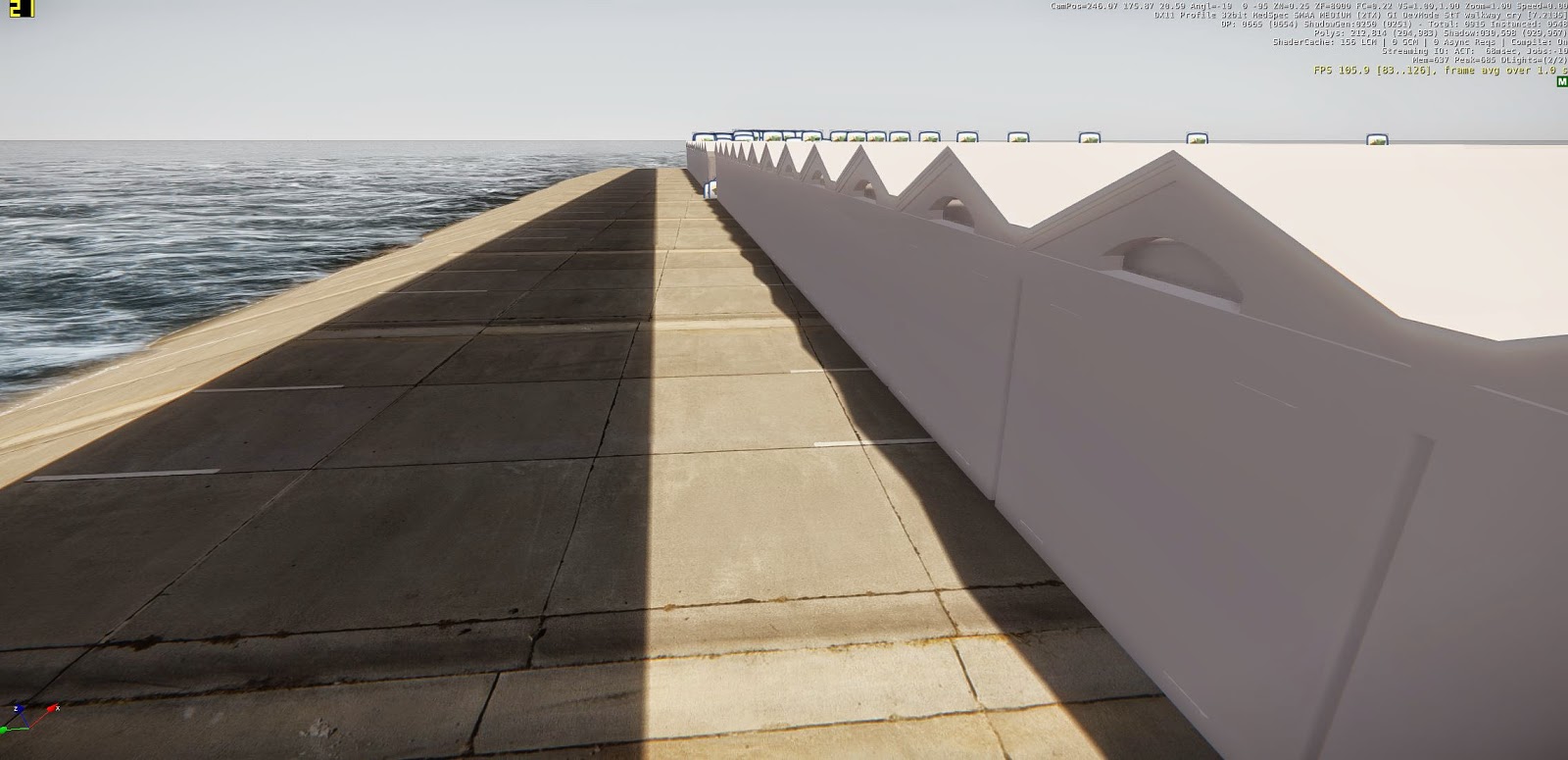
Unfortunately I have still been unable to fix the walkway disappearing to a mere shadow when near or under it. I have tried to research why this could be and how to solve this however I have been unsuccessful. I'm not sure if this due to an error by me when creating my model or merely a glitch within CryEngine itself. The shadow makes me believe it is the software as it is obviously registering the shape and size of the walkway and the fact that it is there.

Saturday, 16 August 2014
Finals Before Class Critique
Perspective:

Other: Communicating Projection within Walkway

I have changed the background of this collage to a light beam rather than the previous map that was used as that map is used in another as well as the light beam is appropriate and the darker background makes the images of the walkway more dominant.
Section:

Elevation:

Not much detail is shown within an elevation drawing therefore I believe the addition of a photograph of the Wellington Waterfront behind helps to communicate more, such as the loaction and its surroundings.
Plan:

One issue I think I may come across is that these are all a sequence of collages that communicate the idea of one space and the styles differ slightly (however I do think they are appropriate to the images within them, for example the plan drawing is on a page with a very structured layout but a plan drawing within itself is very structural). I will though ask in class tomorrow during the in class critique whether or not this is an issue and I will alter as needed.
Adding Breathing Space
Adding "breathing space" to the collages of the space helps with the overall success of the design as they are less cramped but also allows more space to add imagery that communicates the design and the location to the audience.

Not much has been altered in this collage however in comparison, the breathing space improves the design but also allows for the extension of the imagery behind, of the Clyde Quay Wharf.


The additional space within this collage allows for images to be made bigger which is important as they are communicating the space to the audience and the way in which it expresses synchronicity through projection.


I believe that this more constructive style of collage doesn't benefit much or at all from additional
'breathing space".


Additional imagery of the nearby oriental parade and crocodile bikes helps to reiterate the walkway is intended to be used by the many people accommodating the area.

Adding Projection to Photoshop Edits and Sketch Up Video

The above edit uses the filter Overlay and it is a lot harsher than the one below that is merely an opaque version of the original image. The second is a much softer edit and is more successful in my opinion as it resembles a soft light beam.


Adding light rays to the walkway in Photoshop.
Overlapping video footage of cellophane projection over Sketch Up Animation of walking through the walkway.
I would have preferred to use a CryEngine video as the textures and overall model would be of better quality however as of yet I am still unable to import materials and correct the glitches with the walkway.


Subscribe to:
Posts (Atom)